Hashnode Blog from GitHub Repository
Jack Linke tends to learn the hard way - and shares the lessons from those experiences with others through blogging, tweets, and speaking engagements. He has been developing software and hardware projects off-and-on for most of his life, but much of his relevant web development experience has been hard-earned over the past four years during development of Watervize - a B2B2B SaaS web application to help irrigation water utility companies improve efficiency, analysis, and communication with staff and agriculture customers.
Jack's technology interests include Python, the Django project, HTMX, GIS, graph theory, data storytelling, and visualization. He is a frequent contributor to the open source community and a contributing member of the Python Software Foundation.
Outside of coding, Jack serves as a Marine Corps Officer, solves unusual math and logic problems, and makes a mess in the kitchen.
Open Source Projects:
- django-postgresql-dag - Directed Acyclic Graphs with a variety of methods for both Nodes and Edges, and multiple exports
- django-calendardate - A Django calendar model with date metadata for querying against
- django-htmx-todo-list - An example of todo list application using Django and HTMX
Background
I knew that it was possible to backup a Hashnode blog to a GitHub repo [I use this to backup jacklinke.com with my blog repo], but I learned today that Hashnode also provides a GitHub integration that allows the opposite: Build and update a blog from the contents of a GitHub Repository.
Here is an article on their support site about how to do this. They also provide an example repository that you can clone as a starter for your blog repo.
The article you are reading right now is actually the first entry for my semi-daily Today I Learned (TIL) list. Pretty meta, right?
Caveats
Only markdown files with the .md extension will be added to your blog. This does mean you could use other types of files / extensions for other purposes (e.g. in the case that you want to include content in the repo that is not added to your Hashnode blog).
If you want to include images, a couple options are to use Hashnode's Image Uploader or upload the image to the repository and refer to its raw url, which should start with https://raw.githubusercontent.com/....
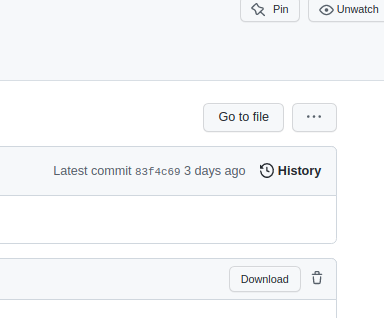
To find the raw url for an image in your GutHub repo: after committing the image, navigate to it on GitHub, and click the Download button to view the raw url.
You can find a list of valid tags to include in the Frontmatter (article metadata) here, but it has not been updated in some time. I added Issue #67 to the Hashnode Support repo, asking that they update the list. There is also a partial listing of popular & recently added tags on the Hashnode site.
Organizing with Folders
Because I intend to update this repo regularly with new content, I expect that the list of files will grow rapidly. A long list of files with no structure will become increasingly frustrating, so I'd like to be able to organize using folders
One thing I have been unable to find information on is whether Hashnode allows blog post files to be nested in folders. This initial attempt at creating a TIL entry should give me the answer to that.
Update: Yep, it works! Go ahead and use folders to organize your articles.